
Secure access, made seamless
Single Sign-On (SSO) lets instructors and learners access Wooclap using the credentials they already have within your institution, no new account required.
Why SSO makes Wooclap adoption effortless
Whether your organisation uses Entra ID, eduGAIN, SAML, or CAS, Wooclap connects to your existing identity provider for a frictionless, secure login experience. Ideal for higher education institutions and large organisations rolling out Wooclap at scale.
Zero friction for every user
Students and teachers log in with the credentials they already use every day. There's no account creation, no forgotten passwords, and no barrier to getting started with Wooclap.
Centralized, institution-grade security
Authentication is managed entirely through your organisation's identity provider, enabling advanced security protocols such as Multi-Factor Authentication (MFA). Your IT team retains full control over access.
Compatible with your existing infrastructure
Wooclap supports the most widely used authentication systems, eduGAIN, Microsoft Entra ID, SAML-based providers, and CAS, so you can connect without changing what already works.
No account creation, no adoption barrier
When users can log in with a single click using credentials they already know, there's nothing standing between them and their first Wooclap session. SSO removes the most common obstacle to institution-wide adoption: the friction of a new account. Your community is ready to engage from day one.

Trusted login, managed by your institution
SSO centralises authentication within your organisation's identity provider, so Wooclap access follows the same security rules as every other tool in your ecosystem. User roles, access rights, and deprovisioning are all handled at the sourcen giving your IT and admin teams the oversight they need.
How SSO works with Wooclap
Connect your identity provider
Your Wooclap contact works with your IT team to configure the connection between your identity provider (Entra ID, eduGAIN, CAS, or another SAML-compatible system) and the Wooclap platform. A test phase verifies that authentication attributes are correctly passed.
Users log in with institutional credentials
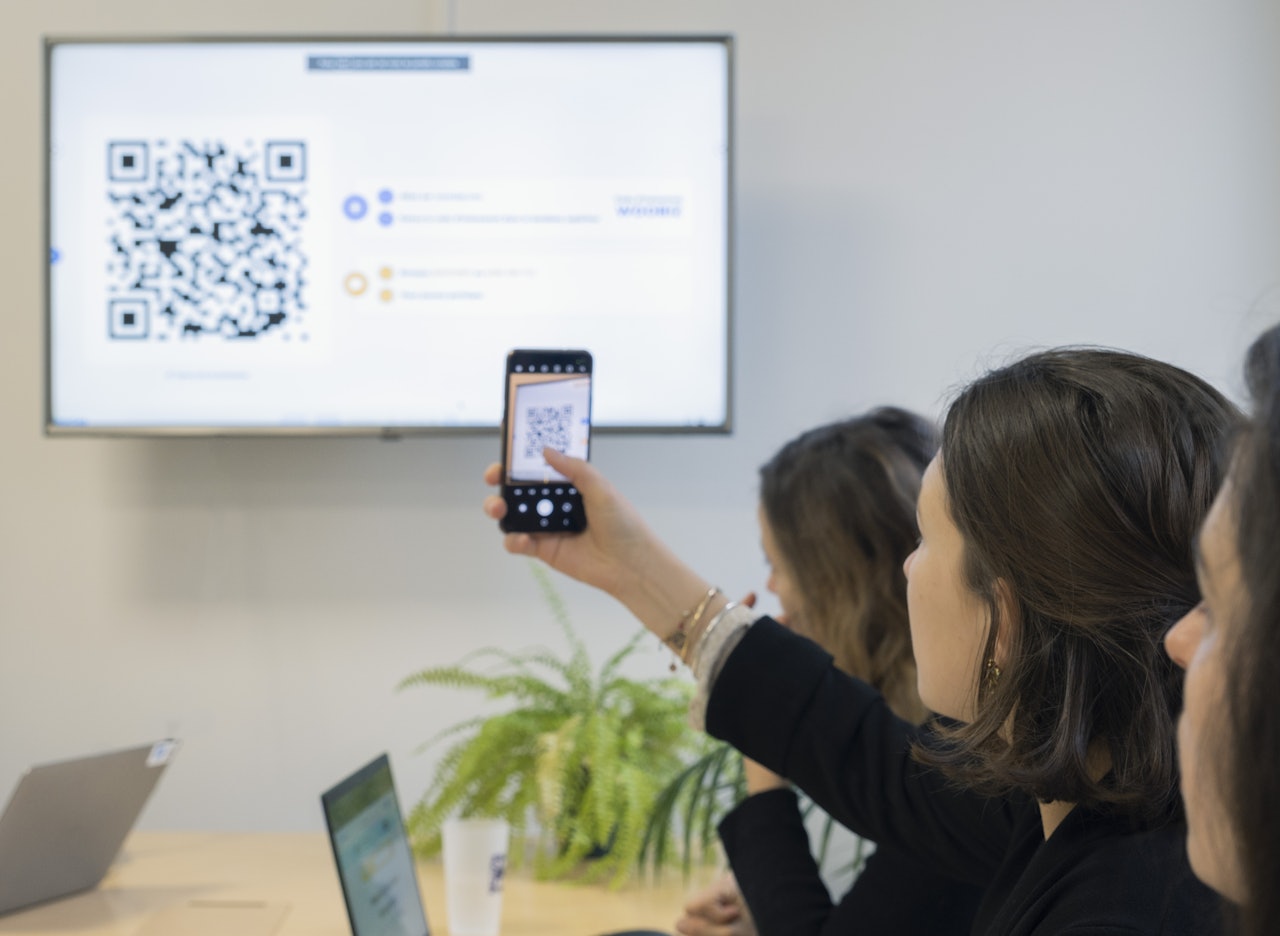
Once SSO is live, users visit the Wooclap login page and click "Single Sign-On (SSO)." They enter their institutional email address, are redirected to your organisation's login page, and are authenticated using your existing system, no Wooclap password needed.
Accounts are managed automatically
Wooclap recognises users based on the unique identifier passed by your identity provider. If a user already has a Wooclap account linked to the same email, the accounts are merged automatically, keeping all their content in one place.
How institutions use SSO with Wooclap
to fill Clara
Higher education campus-wide rollout
Universities and colleges use SSO to give all students and teaching staff immediate access to Wooclap using their existing campus credentials, from day one of the academic year.
Corporate learning & development
Large organisations enable SSO to connect Wooclap to their corporate identity provider (e.g. Microsoft Entra ID), ensuring every employee can access training sessions without an additional account.
IT-managed tool ecosystems
Institutions that require all tools to be authenticated through a central identity provider use SSO to bring Wooclap into compliance with their access management policies, including MFA requirements.
Federated networks (eduGAIN / EduGain)
Academic institutions connected to the global eduGAIN federation can activate SSO through their existing federation membership, giving researchers, educators, and students access in minutes.
Everything you need for secure, institution-wide access
Log in with existing credentials
Users authenticate using their institutional email and password, eliminating the need to create or manage a separate Wooclap account.
Support for leading identity providers
Wooclap integrates with Microsoft Entra ID, eduGAIN, SAML-based systems, and CAS, covering the most widely used authentication standards in higher education and enterprise.
Automatic account recognition
The platform identifies users via a unique ID passed by your identity provider, and automatically merges existing accounts linked to the same email, no data is lost.
Institutional email-based routing
When a user enters their institutional email on the Wooclap login page, the platform automatically detects their organisation's SSO configuration and redirects them to the correct login page.
Compatible with MFA and advanced security protocols
Because authentication stays within your organisation's identity provider, you can enforce Multi-Factor Authentication and other security policies without any changes to the Wooclap setup.
Guided setup with your Wooclap contact
The SSO configuration is handled collaboratively with your dedicated Wooclap contact, including a test phase to validate attribute mapping before going live.
SSO works hand in hand with your other tools

LMS (Moodle, Canvas, Brightspace, and more)
Through LTI integration, students and teachers can access Wooclap activities directly from within their LMS, without leaving their learning environment.
Video conferencing (Microsoft Teams, Zoom)
Wooclap embeds directly into the video conferencing tools your teams already use for remote and hybrid sessions.
Presentation tools (PowerPoint, Google Slides)
Wooclap integrates with PowerPoint and Google Slides so presenters can insert live questions directly into their existing decks. Your slides stay intact, your audience stays engaged, and SSO ensures everyone is recognised the moment they join.
Get started with SSO
Link Wooclap to your identity provider and give everyone in your organisation instant, secure access, no new accounts, no extra steps.

Frequently asked questions
Have questions? We’ve got answers to help you get the most our your....
Discover more
 Integrations
Wooclap's LTI Integration 1.3, a game-changer for LMS interoperability
Wooclap revolutionizes LMS interoperability with its LTI 1.3 integration
 Integrations
NEW! Easier Than Ever to Integrate Wooclap Into Your LMS With LTI 1.3 Advantage
Discover how to integrate Wooclap into your LMS with LTI 1.3 Advantage
 Integrations
Wooclap is now a Canvas certified integration
Wooclap is officially Canvas certified, ensuring seamless integration, top-tier data security, and accessibility for instructors, institutions, and students.