

Optimizing instructional design in your institution.
New to Wooclap? Join us for our next group live demo!
5 best Moodle alternatives institutions should consider in 2025
11.08.2025 • 10 minutes
Moodle has long been a go-to choice for institutions needing a free, open-source learning management system. It helps educators build courses, manage learners, and deliver educational content with a high degree of customization, thanks to its active community and flexible architecture.
But its flexibility comes at a cost.
For institutions prioritizing ease of use, smooth deployment, and consistent performance, Moodle can be a tough sell. Its bare-bones interface, recurring bugs from community-led updates, dependence on third-party plugins, and steep technical learning curve often demand dedicated IT support, something not every school or university can spare.
If you're looking for an LMS that offers a more intuitive experience without compromising on features, you're in the right place. We've carefully tested and analyzed a range of Moodle alternatives, examining how educational institutions use them in real-world environments.
Overview of the best Moodle alternatives for institutions
| Best Moodle alternatives for institutions | ||
 G2: 4.5 (1766) | Ease of use: 5/5 ⭐️⭐️⭐️⭐️⭐️ Features: 5/5 ⭐️⭐️⭐️⭐️⭐️ Integration: 5/5 ⭐️⭐️⭐️⭐️⭐️ Affordability: 4/5 ⭐️⭐️⭐️⭐️ | Best for institutions that want a polished, open-source plug-and-play LMS that gets everyone up and running quickly without technical hiccups. |
 G2: 4.0 (1052) | Ease of use: 4/5 ⭐️⭐️⭐️⭐️ Features: 4/5 ⭐️⭐️⭐️⭐️ Integration: 5/5 ⭐️⭐️⭐️⭐️⭐️ Affordability: 5/5 ⭐️⭐️⭐️⭐️⭐️ | Best for educators who need a fully-managed, comprehensive LMS designed to effortlessly scale when managing millions of students. |
 | Ease of use: 5/5 ⭐️⭐️⭐️⭐️⭐️ Features: 5/5 ⭐️⭐️⭐️⭐️⭐️ Integration: 4/5 ⭐️⭐️⭐️⭐️ Affordability: 4/5 ⭐️⭐️⭐️⭐️ | Best for institutions that don’t mind paying a premium to automate repetitive tasks and promote personalized learning experiences backed by predictive insights. |
 | Ease of use: 4/5 ⭐️⭐️⭐️⭐️ Features: 5/5 ⭐️⭐️⭐️⭐️⭐️ Integration: 4/5 ⭐️⭐️⭐️⭐️ Affordability: 4/5 ⭐️⭐️⭐️⭐️ | Best for educators who need an AI-first learning management system to speed up the course development process and manage each student's learning lifecycle. |
 G2: 4.5 (1472) | Ease of use: 5/5 ⭐️⭐️⭐️⭐️⭐️ Features: 3/5 ⭐️⭐️⭐️ Integration: 4/5 ⭐️⭐️⭐️⭐️ Affordability: 5/5 ⭐️⭐️⭐️⭐️⭐️ | Best for instructors at schools and colleges looking for a simple, cost-effective learning management system. |
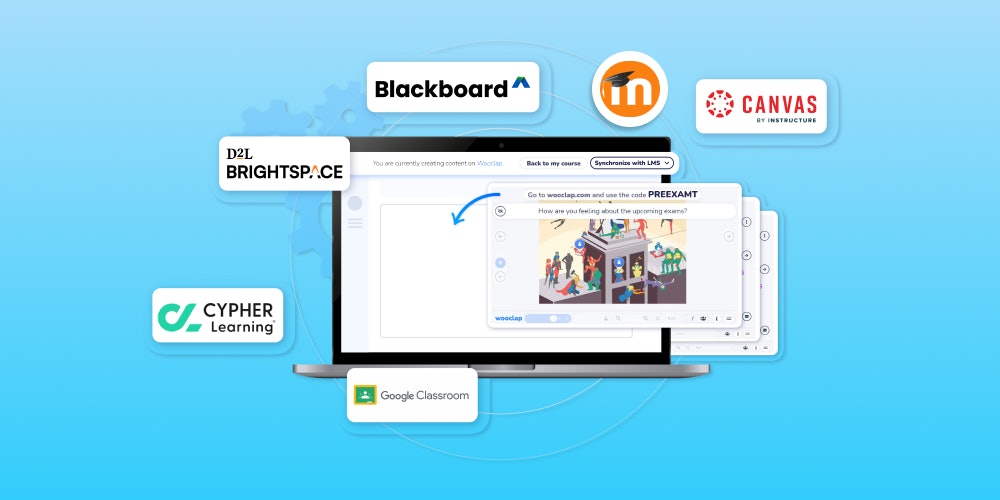
Need an audience engagement tool you can plug into any of the above LMSs? Wooclap helps instructors apply research-based insights on attention, memory, motivation, and cognitive development to turn passive lectures into engaging, participatory experiences.
What is Moodle, and why should you consider an alternative?

Moodle is an open-source LMS designed in 2002 by Martin Dougiamas and has ever since grown to become the go-to platform for over 444 million learners across K-12, higher education, and corporate settings. Prioritizing a community-driven approach, Moodle offers an entirely free LMS that allows institutions to self-host and manage their own installations while providing extensive customization options for creating personalized learning environments.
At its core, Moodle offers modular course creation tools for building interactive lessons, a customizable dashboard for tracking progress and deadlines, a powerful gradebook with custom grading scales, and a flexible question bank with granular controls. The platform also provides detailed analytics and reporting tools, plus an extensive plugin directory to connect with popular tools like Zoom, Wooclap, Turnitin, Microsoft Teams, and lots more.
But despite Moodle's robust customization capabilities, the platform has limitations for users seeking simpler deployment options. Its utilitarian and traditional interface, combined with frequent software bugs from community-driven development, can hinder performance speed and often require rigorous technical fixes.
Also, the platform's heavy reliance on third-party plugins means that though you’ll be met with a steep learning curve, there's no company to call when something doesn't work right. Plus, institutions looking for polished, plug-and-play solutions may find Moodle's technical complexity overwhelming compared to managed alternatives.
What to look for in a Moodle alternative (and how we curated our list)
If you're looking for a Moodle alternative for your institution, you need a platform with similar (or more advanced) course creation and student management capabilities but without the limitations. The following is the framework we used to select the LMSs on our list.
Our testing methodology
We began by identifying popular learning management systems on review sites such as G2 and Capterra, focusing on those with features similar to Moodle. We read each platform's website, documentation, and user reviews to determine which ones offered comparable or enhanced functionality, which helped us narrow down our initial selection.
Next, we conducted hands-on testing of each platform.
We evaluated multiple learning management systems alongside Moodle to assess their performance in K-12 schools and universities. This comprehensive testing allowed us to select five platforms that serve as excellent alternatives, each offering unique features and addressing diverse use cases.
Rating categories
Online reviews and discussions about Moodle and its alternatives typically focus on four key categories:
- Ease of use: Educators frequently emphasize the need for platforms that faculties can adopt quickly without extensive training, as adoption drops when instructors struggle with complex technical setups.
- Features: Users often discuss the variety and quality of course creation and collaborative tools, assessment options, analytics capabilities, and the AI tools available to create intuitive learning experiences for different educational contexts.
- Integration: A common discussion point revolves around how seamlessly these platforms work with third-party tools (Zoom, Wooclap, Turnitin, Google Workspace) and existing institutional systems, especially for schools already managing multiple edtech software.
- Affordability: Many institutions seek solutions that offer robust LMS features at a reasonable price point, with particular attention to user limits, hosting costs, and the total cost of ownership, including technical support.
We rated each platform across all four categories to provide you with a clear understanding of what to expect from each Moodle alternative.
👉 Before we dive in, note that this review is focused on Moodle’s LMS for institutions, which is open-source and free to download. While Moodle provides a workplace version with out-of-the-box features for large organizations with corporate training and employee training needs, this product requires commercial licensing and support. And it is not the focus for this review.
1. Canvas — Best open-source Moodle alternative for institutions needing polished, plug-and-play features.

| Ease of use | Features | Integration | Affordability |
| ⭐️⭐️⭐️⭐️⭐️ | ⭐️⭐️⭐️⭐️ | ⭐️⭐️⭐️⭐️⭐️ | ⭐️⭐️⭐️⭐️ |
Canvas is a turnkey, open-source LMS solution with a structured set-up and an easy-to-navigate interface. Instructors can use it to design lessons, collaborate with students, manage grades, monitor learner progress, and natively integrate 1000+ external tools like Wooclap, Canva, Zoom, Turnitin, etc.
Canvas’ key features
- Custom analytics hub
- Built-in automation tools
- Multiple learning activities
- Collaborative Speedgrader
- Studio add-on for video content
Canvas is ideal for institutions that want a polished, plug-and-play LMS that gets everyone up and running quickly without technical complexity.
| Canvas pros | Canvas cons |
✅ User-friendly interface | ❌ No transparency in pricing plans |
✅ Guided onboarding experience | ❌ No built-in predictive learning analytics |
✅ Out-of-the-box assessment tools | ❌ Not as flexible for tech-savvy users |
✅ Dedicated multimedia content solution |
Moodle vs Canvas
One of the major concerns users have with Moodle is its frequent software bugs, which often deters performance speed and require rigorous technical fixes. This issue can be directly attributed to Moodle’s community-driven approach to its open-source flexibility and its heavy reliance on third-party plugins.
Canvas, while also an open-source LMS, combats this problem by providing a professionally managed, commercial product. Its cloud-hosted LMS only grants access to out-of-the-box features and customizations that have been thoroughly tested to work together, exponentially decreasing the risk of software bugs.

Also, Canvas' fixed, top-down hierarchical structure, in contrast to Moodle’s context-based setup, makes it particularly easy to get started with. Although what you won’t find on Canvas is the level of customization you get with Moodle when equipped with the right technical chops. Among the many is Moodle’s grade calculation formulas, which instructors can use to replace weighted averages and create their own math rules for how they calculate students’ grades.
The interactive tools for quizzes and collaborative learning on Canvas and Moodle are designed for formal assessment and take-home evaluation, not real-time engagement; however, both LMS platforms support seamless integration with Wooclap.

Connecting either open-source platform to Wooclap can help enhance their live engagement capabilities, assess learners' decision-making skills, manage cohesive learning experiences, and turn shy students into active learners.
Canvas’ pricing
While Canvas offers a free-for-teacher plan, prices for its institutional plans are not listed. But after much digging, we found out that Canvas prices vary based on the features you've opted into, your company IT architecture, and the number of users. Overall, the average cost for Canvas software is about $36,000 to $140,000 annually, which is pricey compared to Moodle.
Use Canvas if:
- You need a turnkey LMS solution with enterprise-grade features
- You need a learning platform that faculty can adopt quickly without extensive training
- You need a platform that easily integrates with the everyday tools you use without the risk of slow loading time or software bugs
👉 Keep reading: Moodle and Canvas are open-source LMSs with lots of similar features. So while the above overview clearly states the major differences between both platforms, we understand that you might need extra context to finalize your decision. If such is the case, here’s an in-depth Moodle vs Canvas review.
2. Blackboard Learn — Best proprietary Moodle alternative for educators that want to accommodate millions of students.

| Ease of use | Features | Integration | Affordability |
| ⭐️⭐️⭐️⭐️ | ⭐️⭐️⭐️⭐️ | ⭐️⭐️⭐️⭐️⭐️ | ⭐️⭐️⭐️⭐️⭐️ |
Blackboard Learn is a proprietary LMS trusted by millions of users across 70 countries, and is fondly hailed by tutors for its robust course management and grading tools. It was acquired by Anthology in 2021 and has ever since been transformed into a comprehensive edtech ecosystem enhanced with platform features like a CRM and SIS.
Blackboard’s key features
- AI design assistant
- Built-in plagiarism checker
- Comprehensive analytics tools
- Built-in web videoconferencing tool
- Security settings such as Touch ID or Face ID
Blackboard Learn is ideal for institutions that need a fully-managed, comprehensive LMS designed to effortlessly scale when managing millions of students.
| Blackboard pros | Blackboard cons |
✅ Mobile app with a friendly course view | ❌ High price |
✅ Fully managed infrastructure | ❌ Not as flexible to customize |
✅ 24/7 support | ❌ Potential vendor lock-in |
✅ Live captioning for non-native speakers |
Moodle vs Blackboard
Moodle is a free, open-source LMS that allows you to self-host your servers or opt for cloud-based deployment. The self-hosting option implies that you’d have to manually handle regular patching, plugin updates, and version upgrades. And while its cloud-based deployment is more hands-off, its best hosting plan limits you to just 750 users.
So if you’re looking to accommodate millions of users on a Moodle site, you will probably end up working with multiple third-party vendors. Aside from the need to enhance hosting capabilities, you would need analytics, app development, and support that can handle such traffic, which can inevitably lead to integration overhead and potential finger-pointing in case of issues.

Blackboard Learn, in contrast, provides an all-in-one solution where everything is handled at the platform level. It’s a closed-source LMS hosted, delivered, and managed using a modern cloud-computing infrastructure that is purpose-built for scalability. It provides a range of complementary services, including onsite or remote training programs, as well as technical support; handles upgrades, testing, and regression, and automatically scales up resources during peak seasons.
Blackboard’s pricing
Blackboard Learn offers a 30-day free trial for instructors looking to test the waters. Its paid plans are not publicly stated since pricing varies with usage types, modules, number of students, and types of courses. However, after much digging, we found out that its paid plans start at $9500/year, which is a bit more expensive than Moodle.
Use Blackboard if:
- You prefer an all-in-one LMS with CRM and SIS features
- You require 24/7 professional support so you don’t manage technical issues in-house
- You want to accommodate millions of students and effortlessly balance the load during peak usage.
👉 Keep reading: As we’ve shown above, Moodle and Blackboard are built differently and cater to diverse needs too broad to be simplified in a few paragraphs. So while the overview above highlights their key differences, if you’re looking for more detail to help you decide, we recommend you explore our Moodle vs Blackboard comparison.
3. D2L Brightspace — Best closed-source Moodle alternative for promoting personalized learning experiences.

| Ease of use | Features | Integration | Affordability |
| ⭐️⭐️⭐️⭐️⭐️ | ⭐️⭐️⭐️⭐️⭐️ | ⭐️⭐️⭐️⭐️ | ⭐️⭐️⭐️⭐️ |
D2L (Desire2Learn) Brightspace is a subscription-based proprietary LMS with a clean, intuitive, and modern interface. The platform equips instructors across K-12 and higher education with tools for course creation, content delivery, and performance tracking, while supporting LTI integrations with third-party systems like Wooclap, Credly, and Google Workspace.
D2L Brightspace’s key features
- Flexible grading schemes
- Integrated messaging system
- Intelligent agents to automate tasks
- Predictive analytics for at-risk students
- Personalized learning recommendations
D2L Brightspace is ideal for institutions that don’t mind paying a premium to automate repetitive tasks and promote personalized learning experiences backed by predictive insights.
| D2L Brightspace pros | D2L Brightspace cons |
✅ Intuitive interface | ❌ Expensive to adopt |
✅ 24/7 customer support | ❌ Limited customisation options |
✅ Mobile-first compatibility | ❌ Potential privacy concerns with AI |
✅ Real-time, visual dashboards |
Moodle vs D2L Brightspace
The major difference between Moodle and D2L Brightspace is in their approach to analytics and personalization. Moodle, for one, uses software algorithms to predict or detect unknown aspects of the learning process based on historical data and current behavior. This engine gives educators insights into student behaviour, performance, engagement, risk of dropping out, and course activity patterns.
But the issue is that Moodle's personalization pathways are more hands-on than automated. This means that while educators can easily gain insights on the changes they need to make to create personalized learning experiences, they require a certain level of technical expertise as well as third-party plugins to actualize the process.

D2L Brightspace, however, takes a fundamentally different approach. The LMS offers a Performance+ analytic feature that educators can use to compile collections of strategic reports on students' performance. Then follows up with a host of "automation-driven" learning features (AI systems and intelligent agents) instructors can use to easily implement report findings and promote personalized learning experiences across all learning interactions.
💡 Keep in mind that while D2L Brightspace is a great Moodle alternative for automating the learning journey and promoting personalized learning experiences, it’s not the most robust tool for turning passive listeners into active learners during live lectures. And that’s why we recommend you capitalize on the Wooclap for Brightspace integration.

Wooclap is an audience engagement platform built on neuroscience-backed learning principles to boost student engagement and improve knowledge retention. Designed by educators for educators, it offers an easy-to-use toolset that integrates directly into your Brightspace environment, encouraging real-time, two-way interaction.
👉 Check it out!
D2L Brightspace’s pricing
Like a host of other LMSs, D2L Brightspace offers a 30-day free trial; however, its pricing isn’t stated on its website and requires that you contact support. After much research, we found out that while D2L’s pricing varies based on the size of the institution and the specific services and support options selected, the estimated annual total when getting started with D2L Brightspace is about $50,000.
Use D2L Brightspace if:
- You have the budget for premium LMS features
- You want immediate deployment with minimal technical setup
- You need comprehensive analytics with actionable automation
👉 You might also enjoy: Brightspace and Canvas are two top-tier LMS options that made our list of Moodle alternatives. While we reviewed them separately, you might be curious how they stack up against each other. If that's the case, take a look at our full Brightspace vs Canvas comparison.
4. CYPHER Learning — Best AI-powered Moodle alternative for course creation and management.

| Ease of use | Features | Integration | Affordability |
| ⭐️⭐️⭐️⭐️ | ⭐️⭐️⭐️⭐️⭐️ | ⭐️⭐️⭐️⭐️ | ⭐️⭐️⭐️⭐️ |
CYPHER Learning is a proprietary learning platform that unifies LMS, LXP, and content development features to provide an intelligent learning solution powered by AI. It offers all the tools instructors need to automate tedious processes, manage online courses, easily create compliance training programs, and make the teaching and learning experience less stressful.
CYPHER Learning's key features
- AI agents for course creation
- In-built gamification features
- Adaptive paths for personalized learning journey
- Complete white labeling solution across platforms
- Skills development pathways for auditing and identifying gaps
CYPHER Learning is ideal for educators who need an AI-first learning management system to speed up the course development process and manage each student's learning lifecycle.
| CYPHER Learning pros | CYPHER Learning cons |
✅ 24/7 support | ❌ No free plan |
✅ Sophisticated automation features | ❌ Limited customization and control |
✅ Compatibility with Amazon Alexa | ❌ Vendor lock-in & proprietary dependency |
✅ Insightful reporting and analytics |
Moodle vs CYPHER Learning
Moodle and CYPHER Learning offer a lot of features in common. They are both suitable for creating courses, collaborating with students, and grading assessments, but where they differ significantly is in their approach to AI.
Moodle, for one, prioritizes a plugin-based approach to AI. It provides an AI subsystem that helps users easily integrate third-party tools and get added functionalities for one-click text, image generation, instant summarization, knowledge retrieval, and automated course enrollment cycles.
However, what AI actions are available for a user depend on what has been configured on the LMS, the context the user is in, and the user's roles and capabilities. But unlike Moodle, CYPHER Learning is an “AI-first" platform with deeply integrated, proprietary AI capabilities.

The platform offers CYPHER Agents with multiple AI-powered features designed to automate course creation and management processes. You can use CYPHER’s agents—in addition to all the AI enhancements accessible to Moodle users—to automate 80% of manual course development tasks, validate AI-generated content for quality and appropriateness, create various assessment types, and collect real-time insights.
CYPHER Learning’s pricing
Getting started with CYPHER Learning requires that you schedule a demo to test run the tool; there’s no free plan or free trial. For paid plans, it offers premium and enterprise packages with prices that vary based on the chosen features, user base, number of active users, and your institution’s size. While CYPHER Learning’s prices are available only upon request, research shows that the estimated yearly cost starts at $15,000.
Use CYPHER Learning if:
- Your institution prioritizes AI-first learning solutions
- You require white-label branding across all platforms
- You want to rapidly develop courses with minimal manual effort
5. Google Classroom — Most affordable Moodle alternative

| Ease of use | Features | Integration | Affordability |
| ⭐️⭐️⭐️⭐️⭐️ | ⭐️⭐️⭐️ | ⭐️⭐️⭐️⭐️ | ⭐️⭐️⭐️⭐️⭐️ |
Google Classroom is a simple, easy-to-set-up LMS offering the tools instructors need to organize a virtual classroom, create online assignments, and grade students. It’s a part of the Google For Education package, which consists of apps like Google Drawings, Meet, Calendar, Vids, Forms, etc.
Google Classroom’s key features
- Classworks tab for managing courses
- Stream tab for important updates
- People tab to manage permissions
- Group feature to assign coursework
- Gemini add-on for AI-assisted course creation
Google Classroom is ideal for educators at schools and colleges looking for a simple, cost-effective learning management system.
| Google Classroom pros | Google Classroom cons |
✅ User-friendly platform | ❌ Toolkits are not as advanced |
✅ No learning curve | ❌ Limited customization options |
✅ Simple analytics hub | ❌ Too simple for complex classroom needs |
✅ Satisfactory quality-price ratio |
Moodle vs Google Classroom
In terms of features, infrastructure, or scalability, Google Classroom can’t directly compete with Moodle. Its toolkits for managing courses, collaborating with students, creating content-rich lessons, or monitoring performance are quite basic. And while it offers decent assignment and quiz features, as these activities are the platform's primary focus, Moodle still takes the cake with its dedicated question bank and grade calculation formulas.
So why did Google Classroom make our list? Well, unlike Moodle and most of the other LMSs listed, Google Classroom doesn’t require server hosting and other technical configurations—it works immediately with a Google account.

And aside from the fact that you get to skip all the technicalities of setting up an LMS for your institution, Google Classroom offers an entirely free plan for basic use by teachers and educational organizations. Plus, while it doesn’t offer as many integration opportunities as Moodle, it natively connects with all of Google’s Workplace tools, including Gmail, Drive, Gemini, Sites, Tasks, Sheets, Docs, Slides, etc.
💡Speaking of integration, unlike Moodle, Google Classroom connects with tools like Wooclap in a somewhat different manner. In place of plugins, Google Classroom provides a Wooclap add-on for Firefox and an extension for Chrome that educators can use to embed interactive questions into lessons created on Google Slides.

Instructors can use these extensions to turn traditional Google Slides into interactive presentations that allow students to ask/answer questions, vote, react, and reflect on assessments in real-time without forfeiting the familiar Google Classroom interface they already know and use.
👉 Learn how it works.
Google Classroom’s pricing
As we said earlier, Google Classroom offers a free forever plan with basic features for teachers and educational organizations. All you need to get started is a Google account. However, if you need to scale or organize lectures for over 250 people, then you would have to select from one of its four price plans, ranging from $3 to $5 per user.
Use Google Classroom if:
- You’re an educator working on a tight budget at a school or college
- You want a cost-effective LMS that is easily accessible to all your students
- You don’t need deep customization capabilities and can make do with basic LMS features
👉 You might also enjoy: Canvas and Google Classroom sit at opposite ends when it comes to LMS features and ease of use. While we explored each as a Moodle alternative, you might want a side-by-side look. If so, here's our full Canvas vs Google Classroom review.
So, what’s the best Moodle alternative for you?
Well, the best Moodle alternative depends on the specific needs of your institution. With each listed LMS having unique strengths and weaknesses, here are our top three picks:
- Canvas LMS is the best fit for schools and universities that want Moodle’s flexibility without the technical overhead. With a sleek, modern interface and over 1,000 native integrations, it’s built for easy faculty adoption and smoother onboarding.
- D2L Brightspace stands out for institutions that value data-driven teaching. Its powerful analytics, predictive insights, and intelligent agents help automate personalized learning paths and flag at-risk students, making it a smart choice for instructors focused on student success.
- Google Classroom is a favorite among budget-conscious educators. It offers simple, no-frills course management that’s ideal for schools without in-house IT support or hosting infrastructure.
But hey, you don’t have to take our word for it. While we thoroughly vet each featured platform through hands-on evaluation, online reviews, and real feedback from power users, many offer free plans or trials, so nothing is stopping you from testing them yourself before committing!
💡 Bonus tip: Most of the Moodle alternatives listed are compatible with interactive tools like Wooclap. So, whether you decide to settle for Canvas’ feature-rich ecosystem, Brightspace’s AI-enhanced learning tools, or Classroom’s minimalist approach, integrating Wooclap to add real-time feedback and live polls to the learning experience can significantly boost student retention and engagement capabilities.

Subject


A monthly summary of our product updates and our latest published content, directly in your inbox.